


Poweramp Equalizer
4.41.52K Reviews
App Specs
- Version
- build-1021-bundle-play
- Updated On
- License
- Free
- Downloads
- 5,000,000+
- Developer
- Poweramp Software Design (Max MP)
- Categories
- Music & Audio
- Platform
- Android
Screenshots
 Analysis by AppCompare
I tend to get the most from an equalizer by starting with a small, repeatable change rather than chasing a dramatic sound immediately. Poweramp Equalizer is aimed at Android listeners who want more say over how music comes through their headphones or speakers, and its range of controls rewards a little patience. The useful question is not whether every track can be made louder or bassier, but whether you can find a setting that suits your gear and still sounds good across a whole playlist.
A baseline that keeps comparisons honest
My first step with an equalizer is to listen to a familiar track before changing anything. Then I make one modest adjustment, listen to the same passage again, and decide whether the change actually helps. That routine is especially useful here: with many bands available, it is easy to make a curve look impressive while losing natural vocal tone or making cymbals tiring.
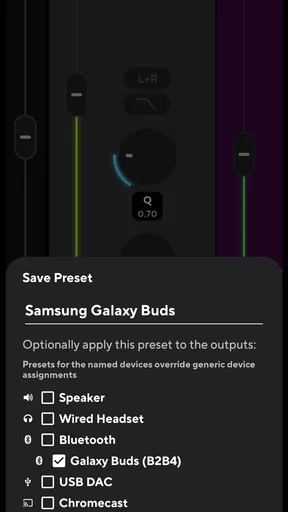
For everyday listening, I would save a restrained starting point before experimenting. If a new curve sounds exciting for one song but awkward on the next, I can return to that baseline instead of trying to remember which sliders I moved. This is a practical advantage of having custom settings, not a reason to create a separate preset for every album.
Poweramp Equalizer is a free music and audio app from Poweramp Software Design (Max MP). It has a 4.3 average from around 21,000 ratings, with over a million installs, and is rated for Everyone. The current Android release is build-1020-bundle-play, and it requires Android 9 or later. Those details make it a reasonable option for many current Android phones, though the app is not an iOS choice.
Settings worth checking before fine-tuning
The app’s appeal is its depth, but depth can turn setup into guesswork if you touch several controls at once. I would first check which output device is active, then make a small adjustment and test it with music you know well. Headphones, a car system, and a Bluetooth speaker can each emphasize different parts of the sound, so carrying one aggressive bass setting across all of them may not work.
The preamp deserves particular care. It can help balance a listening setup, but boosting the overall signal is not the same as adding clean headroom. If a mix begins to sound harsh or rough after raising levels, back off and compare at a comfortable volume. A careful A/B listen is more informative than simply turning the sound up, since louder playback can seem better even when the tonal balance is not.
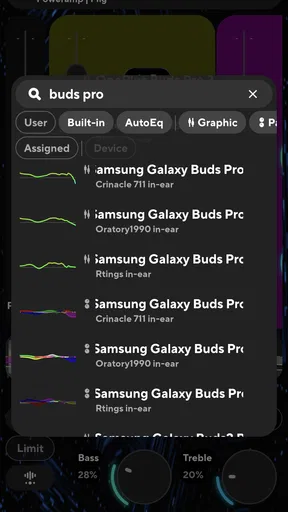
AutoEQ is worth considering as a starting point when you want the app to shape a profile around compatible audio gear, rather than manually moving every band. I would still treat any suggested curve as a draft: listen to speech, bass-heavy music, and a track with clear high notes before keeping it. A profile that flatters one kind of recording may be less convincing elsewhere, and personal taste matters as much as a technically tidy curve.
Worth Reading Before You Choose

EA SPORTS FC Mobile 26 Is a Bigger Football Game, but It Takes Time

Flipboard Shows What News Apps Must Do Beyond the Feed

Switching to Android Auto Means Rethinking Your Driving Routine

Google Calendar Makes a Crowded Week Easier to Manage

Ludo King Makes the Most of the Minutes Between Plans

Baby Panda World Brings Quick Play to Modern Phones, but Its Game Library Feels Busy
Faster habits for switching between listening situations
Once a setting works, the simplest workflow is to save it with a name that tells you where it belongs, such as “commute” or “desk headphones.” That avoids trying to remember the shape of a curve and makes it easier to revert when an experiment goes wrong. I would keep the collection small; a few useful choices are faster to manage than a long set of nearly identical presets.
Widget support can make those saved choices easier to reach without opening the app and digging through controls. It is most useful when your listening context changes often, such as moving from headphones at a desk to a speaker in another room. If you rarely switch setups, opening the app when needed may be just as simple, so the widget is a convenience rather than a requirement.
For a realistic commute, I would set a mild headphone profile at home, then check it again on the journey instead of increasing bass to overpower surrounding noise. Equalization changes tonal balance; it does not make a noisy environment quiet. Keeping the volume comfortable and avoiding an extreme curve is a better habit than treating the equalizer as a substitute for isolation.
Where its flexibility has limits
System-wide audio tools can behave differently depending on the player, device, and audio route. Poweramp Equalizer is designed to work with other music apps, including streaming services and local players, but I would test the specific apps and outputs I use rather than assume every combination behaves identically. If one source sounds unchanged, checking the active output and the equalizer’s current state is a sensible first troubleshooting step.
There is also a learning curve. Someone who wants one simple tone switch may find a detailed equalizer more effort than it is worth, while a listener who enjoys shaping sound can use the controls to make useful, repeatable adjustments. If your music app already has enough tone controls for your needs, adding another layer may create confusion rather than improvement.
The app is free to download, with in-app purchases listed at $6.99 per item. I would begin with the available free functionality and decide whether the extra options matter to my own routine before paying. That is a more sensible approach than assuming a purchase is necessary just because the app offers advanced controls.
Getting Started with Poweramp Equalizer
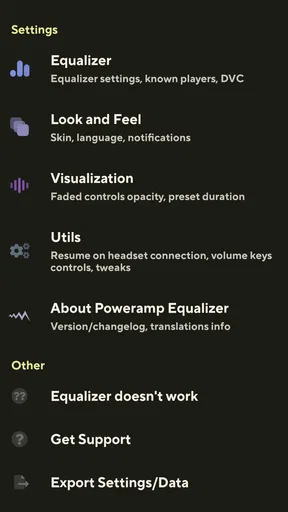
So, first off, let's talk about getting set up. Downloading and installing the Poweramp Equalizer is pretty straightforward. It’s available on Google Play, and once you have it on your device, you’re greeted with a sleek, user-friendly interface. The app’s design is intuitive, making it easy even for first-time users to navigate through the options.
The initial setup involves granting the app necessary permissions. It needs access to your media to work its magic, and trust me, it’s worth it. Once you’re in, you're met with a plethora of options to fine-tune your sound. It’s like being the DJ of your own music library.
Features That Stand Out
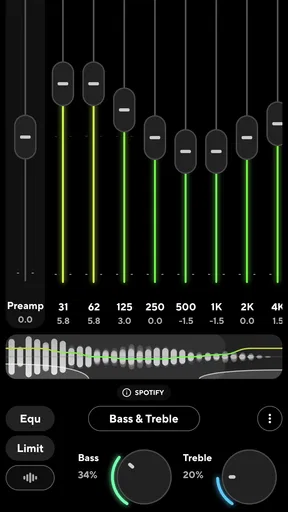
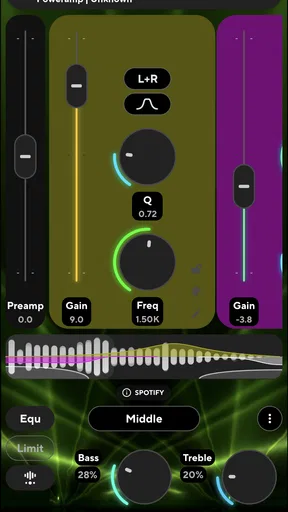
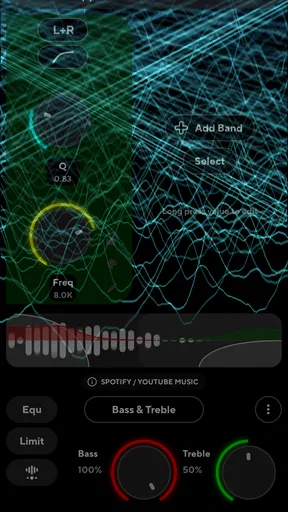
Diving into the features, this app is packed with an impressive array of audio adjustments. You’ve got your standard equalizer bands, but Poweramp doesn’t stop there. It offers a staggering number of bands (up to 32!) which gives you the ability to adjust frequencies with precision. If you’re an audiophile, this is music to your ears—literally.
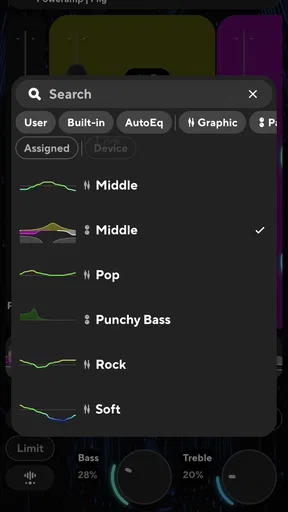
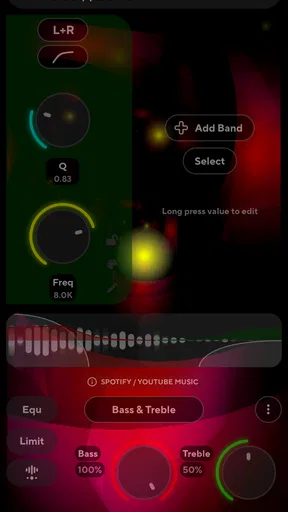
One of my favorite features is the preamp. It allows you to boost your sound without distorting it, which is super handy if you’re using headphones that might not have the best volume. The app also offers bass and treble adjustments, which can be customized to suit different genres of music. Whether you’re into rock, pop, or classical, there’s a preset for you. And if presets aren’t your thing, you can create your own custom settings with ease.
User Experience and Performance
Now, how does it perform? In a word—brilliantly. The app runs smoothly without any noticeable lag. I tested it on a few devices, and it consistently delivered an enhanced audio experience. It’s like your music comes alive with new layers of sound that you didn’t even know were there.
Poweramp Equalizer also integrates well with other music apps. Whether you’re jamming on Spotify, YouTube Music, or your local media player, it seamlessly enhances the audio output. It’s like having a virtual sound engineer tuning your music to perfection.
Customization Galore
Customization is where Poweramp Equalizer truly shines. You can save your custom settings and switch between them depending on what you’re listening to. The interface allows for easy toggling between different modes, and the visual equalizer is a nice touch for those who like to see the frequencies at work.
Moreover, the app supports different output devices, meaning you can have specific settings for headphones, Bluetooth speakers, or your car stereo. It’s like having multiple sound systems in one app, tailored to your preferences.
Another nifty feature is the widget support. You can add a widget to your home screen for quick access to your favorite settings, making it super convenient to switch up your sound on the fly.
Final Thoughts
So, is Poweramp Equalizer worth the download? If you’re someone who loves to have granular control over your audio settings, then absolutely yes. It’s packed with features that are both powerful and easy to use, making it an essential tool for any music lover.
The app’s ability to enhance audio from various sources, its smooth performance, and its extensive customization options make it stand out in a crowded market. While the free version offers plenty of functionality, unlocking the full version gives you access to even more features that truly elevate your listening experience.
In conclusion, whether you’re a casual listener or a hardcore audiophile, Poweramp Equalizer gives you the tools to make your music sound exactly the way you want it. It’s like carrying a personal sound studio in your pocket, ready to transform any track into an audio masterpiece.
Who will get the most from it
I would recommend it most to Android listeners who move between different headphones or speakers and notice that each setup makes familiar music sound different. The ability to keep distinct settings for output devices is more useful than endlessly tuning a single curve: it lets you correct a real mismatch in your setup rather than applying the same taste-driven boost everywhere.
It is less compelling if you mainly listen through one device, already like its sound, and do not want to adjust anything. In that case, the equalizer built into a music player may be enough, and an extra app adds another interface to manage. Likewise, listeners who expect an equalizer to repair poor recordings or create detail that is not in the source are likely to be disappointed. It changes tonal emphasis; it cannot turn every recording into a better master.
How it compares with simpler alternatives
Compared with the basic tone controls found in many music players, Poweramp Equalizer offers a more involved way to shape sound and keep settings for different listening contexts. That extra control is its main distinction, but it comes with a trade-off: a built-in player control is often quicker when you only want a broad bass or treble adjustment. I would choose the simpler option for occasional tweaks and this app when I want a repeatable profile that can be used beyond one player.
Dedicated headphones apps can also be the better fit when someone wants a straightforward setup tied closely to a particular headset. Poweramp Equalizer makes more sense to me when the goal is flexible adjustment across music sources and output devices. In either case, I would avoid stacking multiple equalizers or sound effects at once. Overlapping processing can make it harder to tell which setting is responsible for a change, so keeping one active adjustment layer makes listening tests clearer.
Small checks that prevent frustrating results
When a profile seems to stop working after changing headphones or connecting to a speaker, I would first confirm that the intended output is selected and that the chosen setting is active. Then I would test a familiar song at the same volume as before. This simple sequence separates a routing or selection issue from a curve that merely does not suit the new device, and it avoids rebuilding settings unnecessarily.
For a more dependable preset, make one change at a time and try several kinds of material: a spoken voice, a track with steady low notes, and music with bright percussion. If the voice becomes boxy or the high end tiring, that is a clue to soften the relevant adjustment rather than compensating with a larger boost elsewhere. The point is not to chase a perfect-looking curve, but to find a setting you can leave on without second-guessing it.
A practical verdict for everyday listening
Poweramp Equalizer is at its best when I treat it as a hands-on tool, not an automatic upgrade button. Its extensive adjustment range, saved settings, AutoEQ option, and support for different outputs give patient listeners room to build a reliable routine. The cost of that flexibility is time: the app rewards testing and restraint more than quick, dramatic changes.
If you are curious about sound shaping and use Android, I think it is worth trying the free app and judging it with your own headphones and music. If you want effortless playback, are on iOS, or already have controls that meet your needs, there is little reason to add another layer. For the right listener, the best result is not a flashy effect; it is a small set of settings that quietly makes everyday listening more comfortable.
Pros
- Highly customizable sound settings.
- Supports a wide range of audio formats.
- User-friendly interface design.
- Consistent updates and improvements.
- Seamless integration with other apps.
Cons
- No free version available.
- Limited support for streaming services.
- Complex settings can overwhelm newbies.
- Battery consumption can be high.
- Occasional minor bugs in updates.
FAQs for Poweramp Equalizer
What features does Poweramp Equalizer offer?
Poweramp Equalizer provides a comprehensive audio experience with features like a 10-band equalizer, custom presets, advanced bass and treble control, and seamless integration with other music players. It supports various audio formats and offers a user-friendly interface, making it a popular choice for audiophiles looking to enhance their listening experience.
Is Poweramp Equalizer compatible with all music players?
Poweramp Equalizer is designed to integrate with most popular music players on Android devices. However, compatibility may vary depending on the specific app and device. It’s recommended to check the app’s compatibility list on the official website or Google Play Store to ensure smooth functionality with your preferred music player.
Does Poweramp Equalizer affect battery life significantly?
While Poweramp Equalizer is optimized for performance, any app that processes audio in real-time will have some impact on battery life. Users have reported minimal battery drain under regular usage. For best results, ensure your device is running on the latest software version, which may help in optimizing battery consumption.
Can I customize the equalizer settings in Poweramp Equalizer?
Yes, Poweramp Equalizer allows extensive customization. Users can create and save personalized presets, tweak the 10-band equalizer, and adjust bass and treble to their liking. The app's flexible interface ensures users can tailor the audio output to match their preferences, providing a highly customizable listening experience.
Is there a trial version available for Poweramp Equalizer?
Poweramp Equalizer offers a free trial version that allows users to explore its features before making a purchase. The trial provides access to most features, enabling users to evaluate the app’s performance and decide if it meets their needs. After the trial period, users can opt for a one-time purchase to unlock the full version.


